

Support Centre · Guided tour · Step 11 of 15
11. Messages and notes
6 min
By the end of this step
You can reach a tenant, remember to follow up, and keep your own notes out of their sight.
Messages
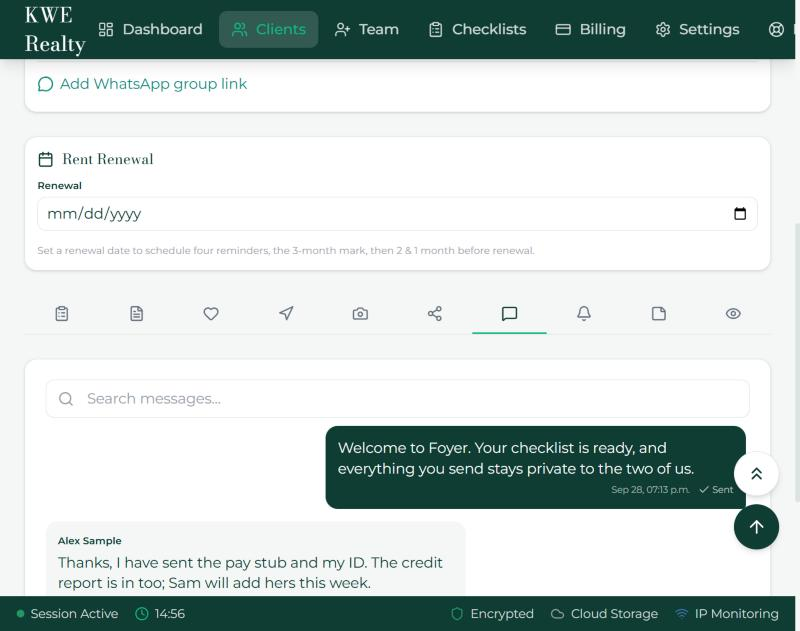
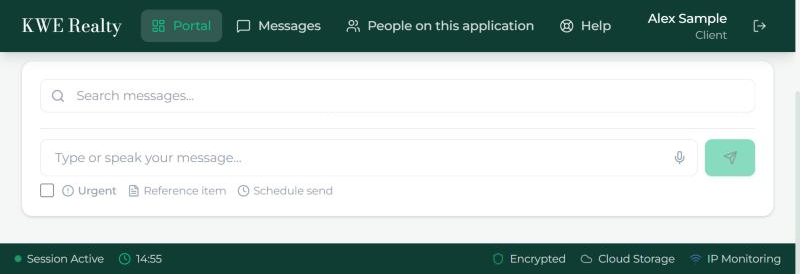
- The Messages tab is a conversation with this tenant. They are emailed, and texted if they have texts on, each time you write, with your words and a button back to Foyer; mark a message urgent and the email says so. When they write to you, you get the same by email and by text.
- Templates save the messages you send often. Schedule sends one later, at the time you choose, even on a day you are off; the email and the text go out at that time, not when you wrote it.
- Reference item attaches a document from the checklist to a message. In the thread, the item’s name is a link: press it and the Documents tab opens on that row. A note you type under a row in the Documents tab shows up here too, with the same link.
- The microphone in the box dictates a message: press it, speak, and your words appear for you to check before sending. It works in the apps and in most browsers; a browser that cannot listen shows no microphone.
- The WhatsApp group link from the header opens the group you already have with them, when that is where they answer.
- A renter with files under more than one professional sees your thread as one conversation in a list, named by you, your business and the unit.
Reaching them on a date
- The Reminders tab is gone from the tenant page. To put something in front of a renter on a date, write the message and press Schedule: it goes by email and text at that time. The Dashboard still counts what needs you.
- The renewal date in the header makes four reminders by itself: at three months, then two months and one month before renewal, with an email to the renter each time.
Notes
- Notes are internal. Write what you learned on a call or what the landlord said; your team sees it, the tenant never does.
What the renter sees
Their Messages tab shows the same conversation, with your name on your messages, the same microphone, and the same links on referenced documents. A scheduled message reaches them by email and by text at its time, and the renewal reminders by email on the day; your notes are never there.
Still stuck? Write to support@getfoyernow.com